Create focused collections from your catalogue filters. Preview matching products, review drafts and publish pages with automatic internal links. AI writing is optional.
€83.99 excl. VAT · 1 year of support and updates included
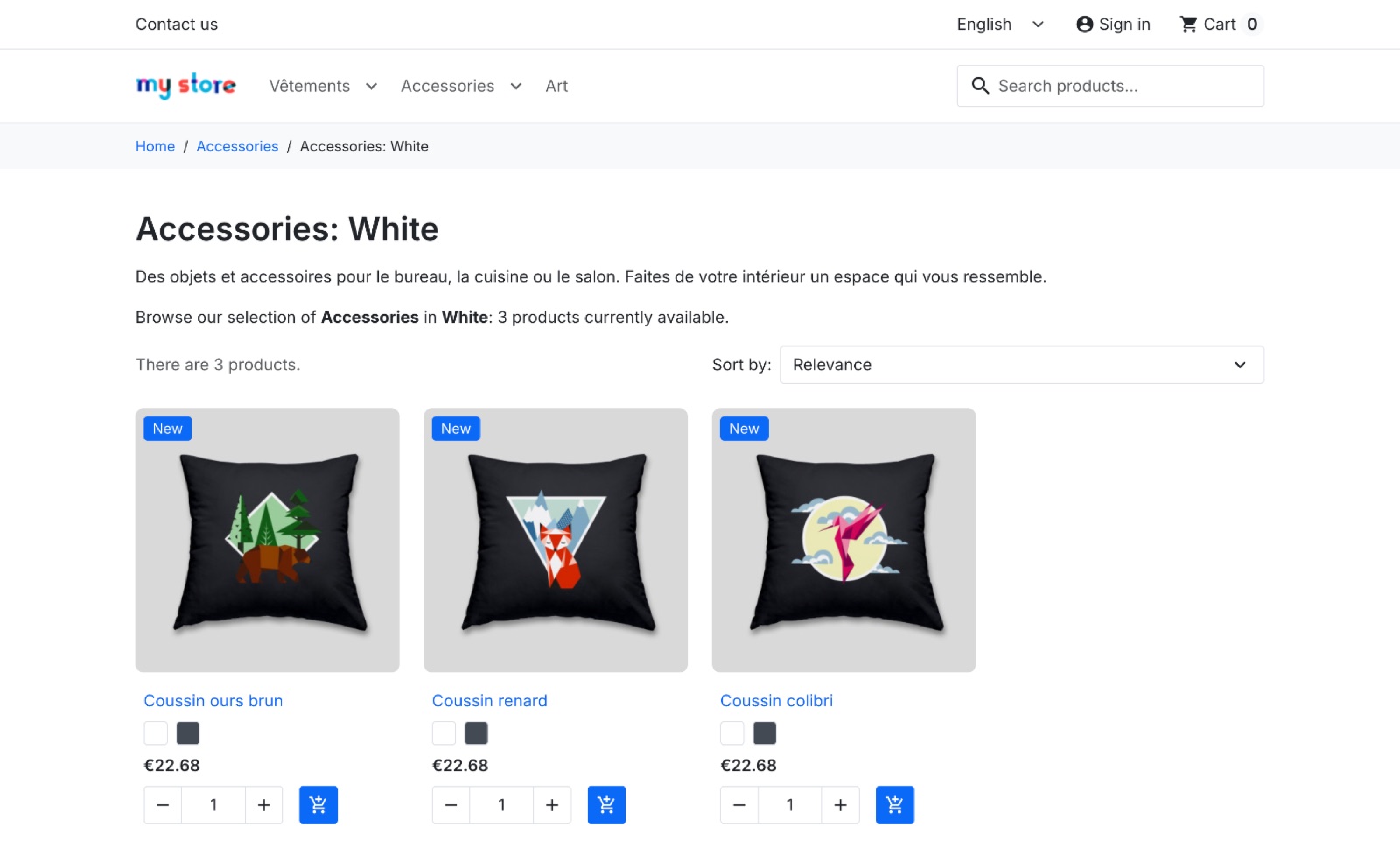
Choose products, prepare content and control publication.
Filter category products by attributes or features, with optional subcategories and an in-stock filter. Attribute values must match within the same product combination.
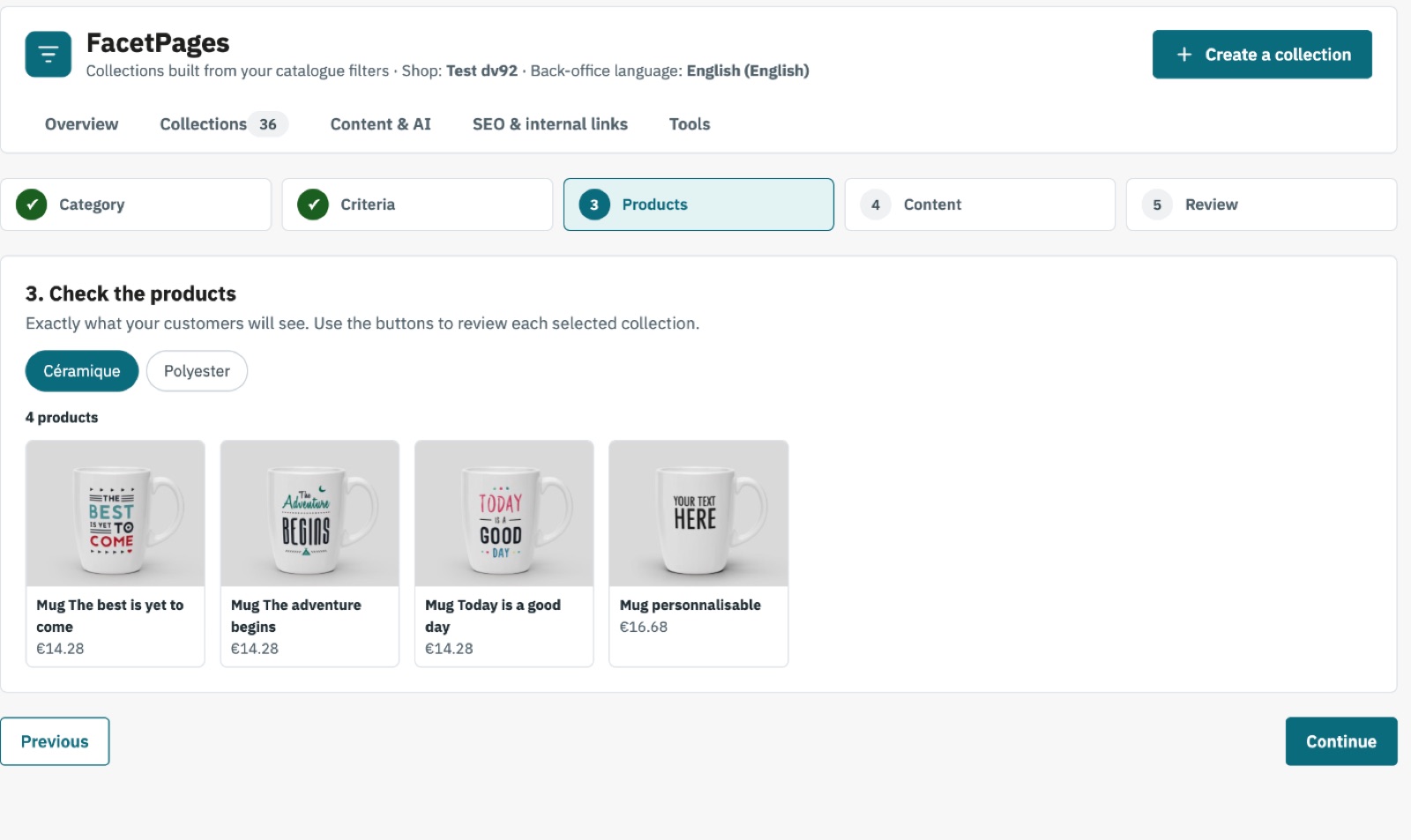
The five-step assistant previews matching products and warns about overlapping collections. Create drafts for review.
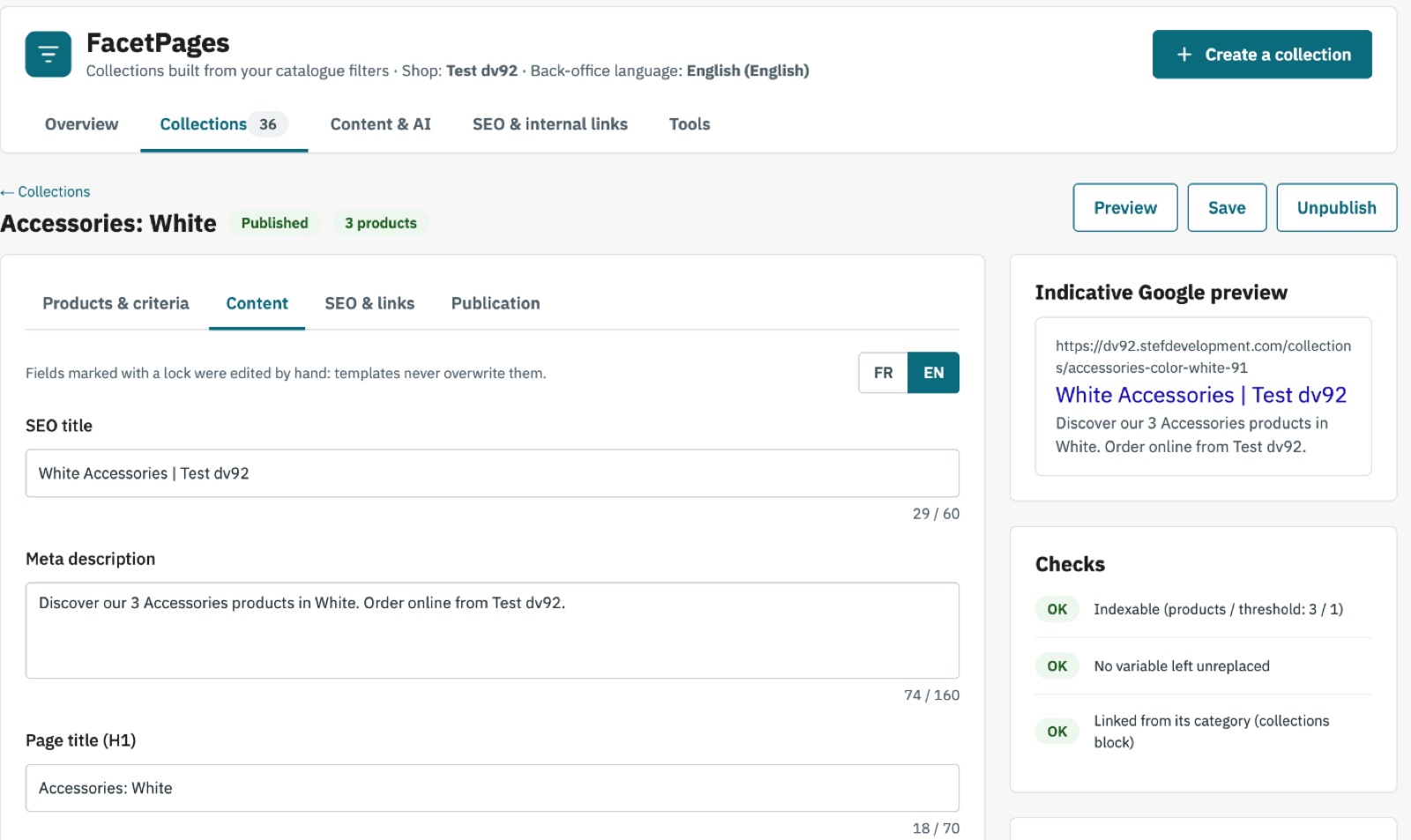
Edit URLs, meta titles, meta descriptions, H1 headings, introductory and closing content and FAQs. Templates preserve fields edited by hand.
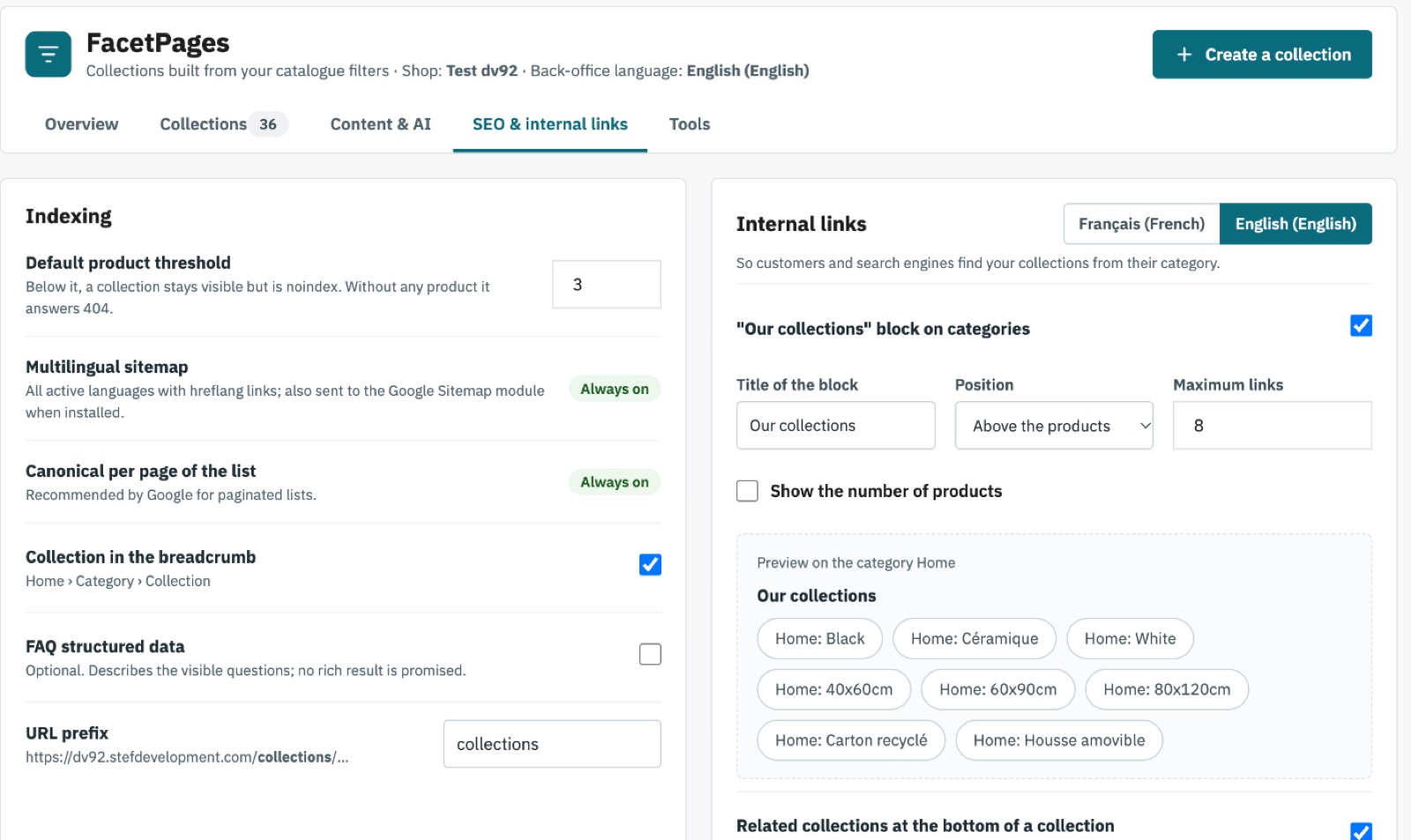
Categories display collection links and collection pages can show related collections. Check your theme’s category hooks.
Zero-product collections cannot be published and return a real 404 if they become empty. Set an automatic noindex threshold; maintenance preserves manual choices.
Connect your OpenAI, Anthropic, Gemini, Mistral, Groq or OpenRouter API key. Review proposals before applying them; provider charges are separate.
The assistant starts with a category and values present in your catalogue. Check exact product counts and previews before preparing collections. An empty selection never displays the whole category instead.
Manage draft, published and archived statuses. Review content and indexing per language, set optional publication dates and restore earlier content through revision history.
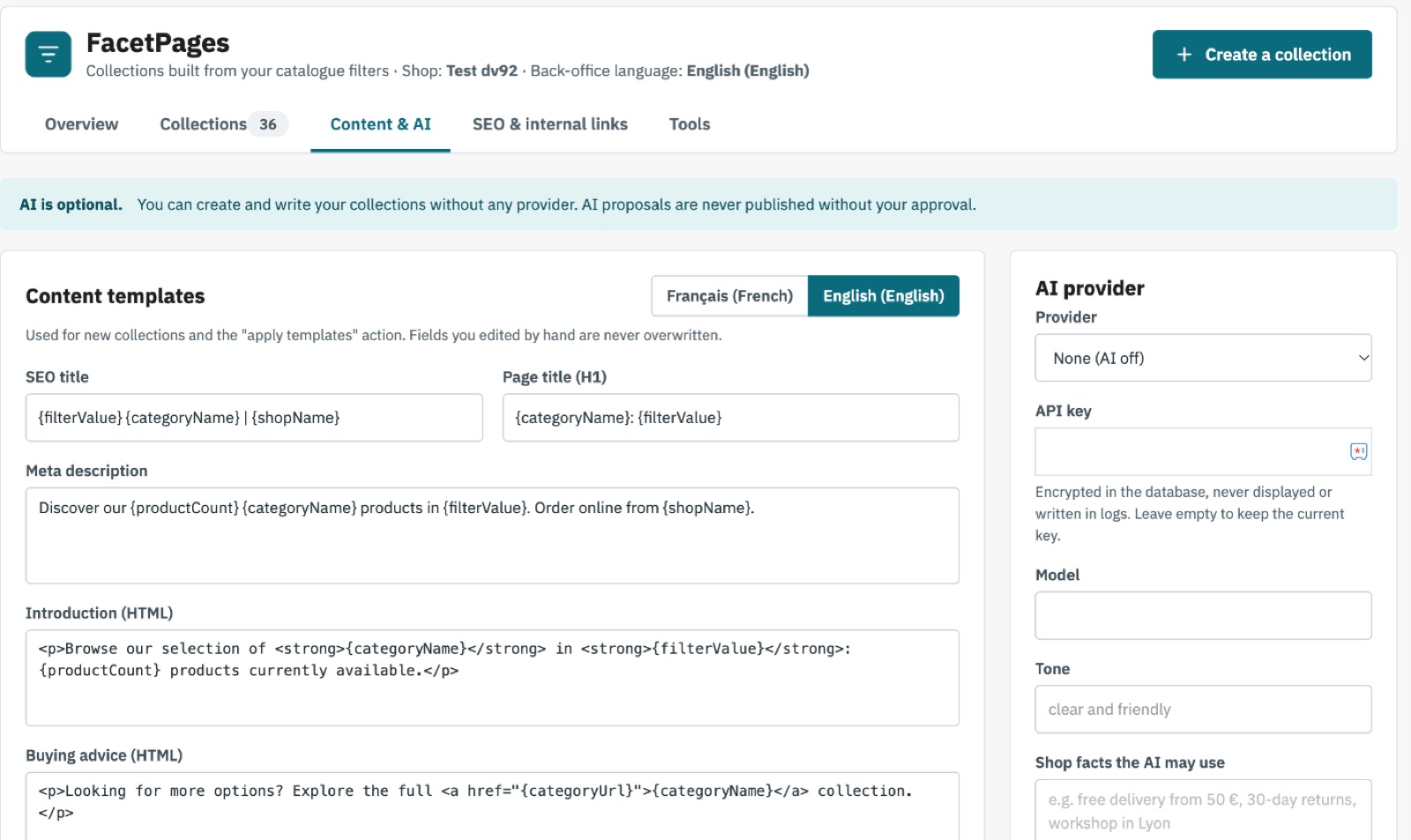
Write manually, use templates with catalogue variables or request AI proposals. Token tracking, your entered provider prices and a monthly budget control API usage. Published text changes only when you apply a proposal.
Each pagination page has its own canonical URL, with 301 redirects for old URLs, hreflang between complete translations and a multilingual sitemap. Hourly maintenance refreshes product counts and automatic noindex. CSV import simulation, SEO diagnostics and Search Console import are available.
Start with reviewed drafts and configure scheduled maintenance.
Install the module, select your shop in multistore, then check content templates, product threshold and collection links. AI requires your own API key only if you choose to use it.
Choose a category and criteria, preview products and create drafts. Review content, URLs and indexing, publish selected collections and check their appearance in your theme.
Configure the secured maintenance URL every hour. Open the collection sitemap in Tools and submit it to Search Console or add it to robots.txt. Run diagnostics.
| PrestaShop | 1.7.7–9.2; tested on 1.7.8, 8.2, 9.2 |
|---|---|
| PHP | 7.1–8.4; use a version supported by your PrestaShop installation |
| Catalogue | Product attributes or features |
| Maintenance | Scheduler calling the secured URL every hour |
| AI | Optional: API key, cURL and outbound HTTPS |
| Interface | FR, EN, DE, ES, IT, NL, PL, PT |
No. Write your content manually or use catalogue templates without an AI account.
No. Search engines decide indexing and ranking. The module does not guarantee traffic.
It returns a real 404 and is removed from the sitemap. An empty collection cannot be published.
Yes. Scheduled maintenance keeps your manual choices while updating automatic noindex settings.
The collection block depends on category hooks or widget placement. Check the display and run diagnostics.
Optional requests send catalogue context and the shop facts you supply to your chosen provider. The module collects no customer data; provider usage is charged separately.
Create focused collections from your catalogue filters. Preview matching products, review drafts and publish pages with automatic internal links. AI writing is optional.
See FacetPages on PrestaShop Addons ← Stef Development